
Website Maintenance: What It Involves and Why Your Business Needs It
What website maintenance actually involves, why skipping it is a risk, how it differs between WordPress, Shopify, Magento and Laravel, and what to look for in a care plan.
All ArticlesA website isn’t finished on launch day. The software it runs on, the plugins and apps that extend it, the server it sits on and the browsers people use to view it all keep changing. Left alone, even a well-built site gradually becomes slower, less secure and more likely to break.
A large part of my week as a freelance developer is spent looking after websites I’ve built and ones I’ve inherited. This guide explains what proper maintenance involves, why it matters more than many business owners realise, and how to decide whether to handle it yourself or pay for a care plan.
Why website maintenance matters
Security
Most website hacks don’t involve anyone targeting your business specifically. Automated tools scan the internet for sites running software with known weaknesses and exploit whatever they find. For WordPress, the risk sits almost entirely in plugins and themes: Patchstack’s State of WordPress Security in 2026 report recorded over 11,000 new vulnerabilities across the WordPress ecosystem in 2025, with 91% of them in plugins. WordPress core itself had very few.
It isn’t just WordPress. The UK Government’s Cyber Security Breaches Survey 2025/26 found that 43% of UK businesses had experienced a cyber security breach or attack in the previous 12 months, with phishing the most common. A compromised website can be used to send spam, redirect your visitors elsewhere, steal customer details or get flagged with a browser warning that stops people visiting at all.
Reliability
Updates sometimes break things, and things sometimes break without any update at all. Contact forms quietly stop delivering emails, payment gateways change their requirements, and expired licences switch features off. Without someone checking, you often only find out when a customer tells you, or when enquiries mysteriously dry up.
Speed and search visibility
Databases fill up, images get uploaded at full size and scripts accumulate. Slower pages frustrate visitors and can weigh on your Core Web Vitals. Broken links, errors and accidental indexing problems also chip away at your search rankings over time.
What website maintenance actually involves
The exact list depends on your platform, but a sensible routine covers these areas:
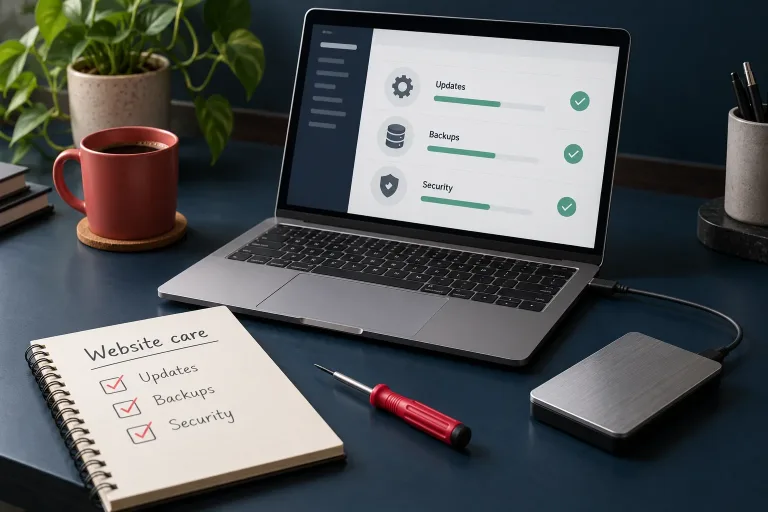
Updates
- Core software, plugins, extensions, themes and apps kept up to date.
- Updates tested on a staging copy first where the site is complex or business-critical, especially online shops.
- Unused plugins and themes removed completely, not just deactivated, since every extra component is something else to keep patched.
Backups
- Automatic daily backups of files and database, more often for busy shops.
- Copies stored away from the web server, so a server failure or hack doesn’t take the backups with it.
- Restores tested occasionally. A backup you’ve never restored is a hope, not a plan.
Security
- Strong passwords and two-factor authentication on every admin account.
- Old user accounts removed and staff given only the access they need.
- A firewall and malware scanning, at server level or through a service such as Cloudflare.
- HTTPS working correctly across the whole site, with certificates renewing automatically.
Monitoring
- Uptime monitoring that alerts someone when the site goes down.
- Regular test submissions of contact forms and, for shops, test orders through the checkout.
- Checks on server load and error logs, including traffic from aggressive bots and scrapers, which can slow a site to a crawl if left unchecked.
Hosting and server housekeeping
- Keeping the server’s PHP version within its supported life. For example, PHP 8.2 reaches the end of its security support on 31 December 2026, so sites still running it need upgrading and testing on a newer version.
- Database optimisation, cache configuration and keeping an eye on disk space.
SEO health and content
- Checking Google Search Console for indexing errors, security issues and manual actions.
- Fixing broken links and 404 errors.
- Keeping opening hours, prices, team details and contact information accurate.
- Making sure privacy and cookie information still reflects how the site actually works.
Renewals
- Domain names, hosting, premium plugin licences and app subscriptions renewed on time, ideally with the domain set to auto-renew and registered in your business’s name.
How maintenance differs by platform
- WordPress and WooCommerce: the most hands-on. Frequent plugin updates, occasional conflicts between them, and you’re responsible for hosting and security. Well maintained, WordPress is very solid; neglected, it’s the most common platform I see compromised. More on my WordPress development page.
- Shopify: Shopify handles the platform, hosting and checkout security, which removes a lot of work. You still need to manage apps, theme updates and code left behind by uninstalled apps, which often slows stores down. See Shopify development.
- Magento 2: needs regular security patches and planned upgrades, as each release line is only supported for a limited period, plus properly tuned hosting. It rewards careful maintenance and punishes neglect. See Magento 2 development.
- Bespoke Laravel applications: the framework and its dependencies need keeping current. Laravel provides bug fixes for 18 months and security fixes for two years for each major release, so a bespoke system needs an upgrade path planned from day one. See Laravel development.
Doing it yourself versus a care plan
You can maintain a simple site yourself if you’re comfortable with the admin area, disciplined about doing it regularly and confident restoring a backup when an update goes wrong. Many business owners start out this way.
A care plan makes more sense when the website brings in a meaningful share of your work or sales, when it has custom features, or when you simply don’t want to think about it. If you’re comparing plans, ask:
- How often are updates applied, and are they tested before going live?
- How often are backups taken, where are they stored, and how quickly can you restore one?
- Is uptime monitored, and what happens when the site goes down out of hours?
- Is malware clean-up included if the worst happens, or charged separately?
- How much development time, if any, is included each month for small changes?
- Will I keep full ownership of and access to my domain, hosting and website?
Running costs like these are worth factoring in from the start. My guide to how much a website costs in the UK covers the full picture.
The cost of not maintaining a website
Maintenance is easy to put off because, when it works, nothing visibly happens. The costs show up later: an emergency clean-up after a hack, lost sales while a shop is offline, an outdated site that can’t be updated any more without a rebuild, or rankings that slip after Google flags the site as unsafe. Almost every time I’ve dealt with one of these situations, regular maintenance would have prevented it for a fraction of the cost.
Website maintenance FAQs
How often should a website be updated?
Security updates should be applied as soon as practical after release, because attackers move quickly once a weakness is public. For most sites, checking for updates at least weekly and running a fuller review monthly is a sensible routine.
Does a Shopify store need maintenance?
Less than a self-hosted site, because Shopify looks after the platform and hosting. You still need to manage apps, theme updates, leftover code from removed apps, content accuracy and SEO health.
What happens if I don’t update my WordPress site?
Over time it becomes more vulnerable to automated attacks, as known weaknesses in outdated plugins and themes are widely scanned for. Very out-of-date sites can also become hard to update at all without things breaking.
Is my hosting company responsible for maintaining my website?
Usually not. Most hosting covers the server, and sometimes backups, but not updating your website’s software, plugins or content. Check exactly what your hosting includes rather than assuming.
How many backups should I keep?
Keep several days or weeks of history, not just the latest copy, because problems such as malware aren’t always spotted immediately. At least one copy should be stored away from your web server.